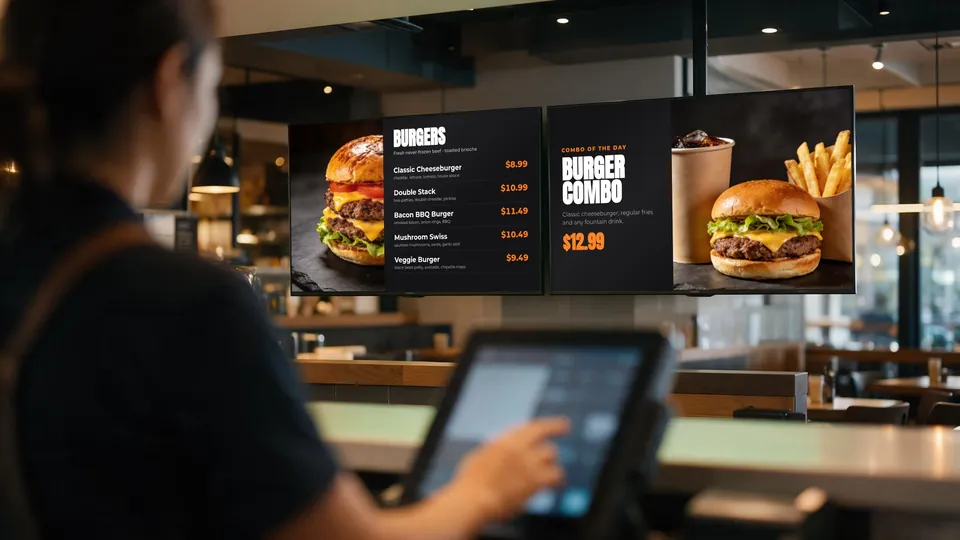
As a restaurant or cafe owner, you know that creating an engaging atmosphere is crucial to attracting and retaining customers. One effective way to achieve this is by building a video wall from affordable TVs. In this article, we'll guide you through the process of designing and building a video wall from 1x4 to 9x9 configurations, using software and hardware recommendations from KwickSIGN.
Why Choose a Video Wall?
A video wall can help you achieve several goals:
- Enhance the ambiance of your restaurant or cafe
- Display menus, promotions, and events
- Play music videos or live performances
- Provide an immersive experience for customers
And the best part? You can create a stunning video wall using affordable TVs, eliminating the need for expensive commercial displays.
Choosing the Right TVs
When selecting TVs for your video wall, consider the following factors:
- Size: Choose TVs with a similar size to ensure a uniform appearance
- Resolution: Opt for TVs with a high resolution (720p or higher) for a crisp display
- Connectivity: Ensure TVs have HDMI ports for easy connectivity
- Price: Look for affordable options, such as refurbished or open-box TVs
KwickSIGN recommends using Smart TVs, which can be easily integrated with our digital menu board software for auto-updating menus and prices.
Designing Your Video Wall
Before building your video wall, consider the following design elements:
- Layout: Plan the layout of your TVs to create a visually appealing arrangement
- Aspect Ratio: Ensure the TVs are arranged in a way that maintains the correct aspect ratio
- Spacing: Leave enough space between TVs for a clean and modern look
KwickSIGN offers a range of layout options and templates to help you design your video wall.
Software and Hardware Requirements
To create a seamless video wall experience, you'll need the right software and hardware:
- Software: KwickSIGN's digital menu board software can help you create and manage your video wall content
- Hardware: You'll need a PC or server to run the software, as well as a stable internet connection
KwickSIGN's software is designed to work with our digital menu boards, providing features like auto-updating menus and prices, video-wall tiling, and remote updates with no USB sticks or per-screen fees.
Building Your Video Wall
Now that you've chosen your TVs and designed your video wall, it's time to build it:
- Mount the TVs: Use a sturdy mounting system to secure the TVs to the wall
- Connect the TVs: Use HDMI cables to connect the TVs to each other and the PC or server
- Install the Software: Install KwickSIGN's digital menu board software on the PC or server
- Configure the Software: Set up the software to control your video wall and display your desired content
With KwickSIGN's digital menu board software, you can easily update your video wall content, ensuring that your menu boards are always up-to-date and accurate.
Conclusion
Building a video wall from affordable TVs is a great way to enhance the ambiance of your restaurant or cafe, while also providing an effective way to display menus, promotions, and events. With KwickSIGN's digital menu board software, you can create a seamless video wall experience that will impress your customers and drive sales. Start building your video wall today and take your restaurant or cafe to the next level!
About KwickSIGN: KwickSIGN is the digital menu board solution built into KwickPOS. Control up to 99 Smart TVs with automated scheduling, real-time inventory sync, and instant price updates.
Request a Quote