Frequently Asked Questions
Everything you need to know about KwickSIGN digital menu boards
General Questions
What is KwickSIGN?
KwickSIGN is a digital menu board system built directly into the KwickPOS point-of-sale platform. It allows restaurants to display dynamic menus on Smart TVs, with real-time updates for pricing, inventory, and scheduling — all controlled from your existing POS system.
How is KwickSIGN different from other digital signage?
Unlike third-party signage solutions that require separate media players and cloud subscriptions, KwickSIGN is natively integrated with your POS. It works hybrid — screens run from your KwickPOS over the local network and keep working if the internet drops, while updates can also be pushed remotely when you’re online — and it requires no extra hardware beyond Smart TVs, and shares the same menu database as your registers. That means menus and prices never have to be re-entered in a second system, and there is no separate media-player hardware behind each TV.
Do I need to be a KwickPOS user?
Yes. KwickSIGN is a built-in feature of KwickPOS. It's not available as a standalone product because the tight integration with the POS is what makes it work so well. If you're not yet using KwickPOS, contact us for a demo.
How many screens can I control?
KwickSIGN supports up to 99 Smart TVs from a single KwickPOS installation. Each screen can display unique content, or you can group screens together for synchronized updates.
Technical Questions
What Smart TVs are compatible?
KwickSIGN works with virtually any Smart TV manufactured in the last 5-6 years that has WiFi capability and a built-in web browser. This includes Samsung, LG, TCL, Hisense, Vizio, Sony, and most other major brands. We recommend 40" or larger for menu boards.
Do I need media players or special hardware?
No. KwickSIGN works directly with Smart TVs — no media players, Android boxes, PCs, or other hardware needed. The TV connects to your local network and displays content served by your KwickPOS system.
Does KwickSIGN require internet?
Not to keep running. KwickSIGN is hybrid: your Smart TVs talk to your KwickPOS over the local network (WiFi or ethernet), so if your internet goes down your menu boards keep working. When you’re online, you, a designer or support can also push updates remotely from anywhere.
How fast do updates appear on screens?
Changes made in KwickPOS reach the screens in the same store over the local network within seconds. Remote updates sent over the internet arrive as soon as the store is online.
Features & Functionality
Can I schedule different menus for different times?
Yes. KwickSIGN supports unlimited daypart scheduling. Set up breakfast, lunch, dinner, late-night, weekend, and holiday menus to switch automatically at the times you specify. You can also override any schedule instantly from the POS.
What happens when an item sells out?
When you mark an item as sold out in KwickPOS, it automatically disappears from your digital menu boards (or displays a "Sold Out" badge, depending on your preference). When you restock, it reappears automatically.
Do menu prices update automatically?
Yes. Since KwickSIGN shares the same database as your POS, prices displayed on menu boards always match your register. Change a price once in KwickPOS and it updates everywhere instantly.
Can different screens show different content?
Absolutely. You have full control over what displays on each screen. Show drinks on one TV, entrees on another, and promotions on a third. Or group screens together to display the same content simultaneously.
Pricing & Support
How much does KwickSIGN cost?
KwickSIGN is priced by the number of screens and locations you run. It can be billed through your KwickPOS account or bundled with a POS package. We don’t publish a price list — plans are tailored to your screen count, locations, POS configuration and deployment needs. Request a quote for your setup.
Is KwickSIGN free with KwickPOS?
No. KwickSIGN is a paid part of the KwickPOS platform, priced by screen count. What you save is the separate signage stack: no media-player box behind every TV, no second dashboard, and POS and digital signage on one bill.
Is support included?
Yes. KwickSIGN is part of your KwickPOS system, so it's covered under the same support agreement. One vendor, one support line, one solution.
How do I get started?
If you're already a KwickPOS user, KwickSIGN is available in your backoffice. Just connect a Smart TV to your network and activate it. If you're new to KwickPOS, request a demo to see the full system in action.
Setup & Installation
How long does setup take?
Most installations take 15-30 minutes per TV. The process involves connecting the TV to your network, navigating to the KwickSIGN URL, and activating the display from your KwickPOS backoffice. No special technical skills required.
Do I need to hire an installer?
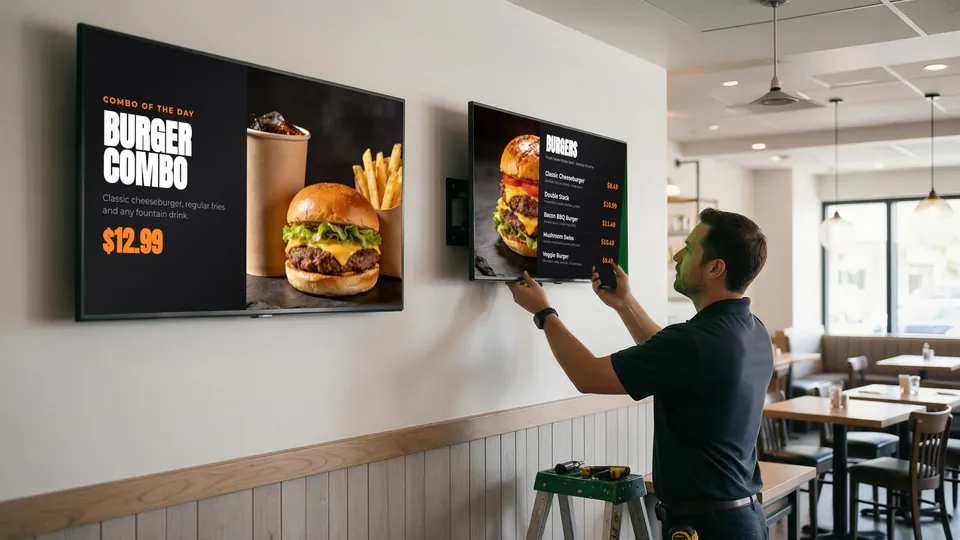
No. If you can mount a TV and connect it to WiFi, you can set up KwickSIGN yourself. Of course, many restaurants prefer to have their KwickPOS dealer or IT provider handle the installation, and that works too.
Can I use the TVs I already have?
Yes, if they're Smart TVs with WiFi and a web browser. Most TVs manufactured since 2018-2019 qualify. If your existing TVs aren’t supported, our team can recommend suitable consumer Smart TVs.
What's the best screen size for menu boards?
For counter service restaurants, 43" to 55" TVs work well for most viewing distances. For drive-thrus or larger spaces, 55" to 65" provides better visibility. The ideal size depends on your specific mounting location and typical viewing distance.
Can I orient the TV vertically (portrait mode)?
Yes. KwickSIGN supports both landscape and portrait orientations. Portrait mode works well for tall menu boards or narrow spaces. Configure the orientation in your KwickPOS settings.
Still Have Questions?
Our team is happy to answer any questions about KwickSIGN and KwickPOS.
Request a Quote Contact Us