Daypart Times & Menu Scheduling: The Complete Guide

Automate your menu transitions and never miss a changeover again

Two Smart TVs above a cafe counter showing the breakfast menu in the morning

Dayparting—the practice of dividing the day into different time segments with different menus—is standard practice for most restaurants. But managing these transitions manually is a headache. Someone has to remember to switch the boards, and when they forget, customers see the wrong menu.

Digital menu boards with automated scheduling solve this problem. Set your schedule once, and the system handles transitions automatically. Here's how to do it right.

Quick answer: a daypart is a block of the day with its own menu, prices or promotions — typically breakfast, lunch, afternoon, dinner and late night. Most restaurants run 3–5 dayparts. The times below are common starting points, not rules; set yours from your own sales by hour.

VenueTypical dayparts
Quick-service / fast casualBreakfast (open–10:30 AM) · Lunch (10:30 AM–2 PM) · Afternoon snack (2–5 PM) · Dinner (5–9 PM) · Late night (9 PM–close)
Café / coffee shopMorning rush (open–11 AM) · Midday (11 AM–2 PM) · Afternoon (2 PM–close)
Full-service restaurantLunch (11 AM–3 PM) · Dinner (5–10 PM) · Weekend brunch (Sat–Sun 9 AM–2 PM)
Bar / pubLunch (11 AM–3 PM) · Happy hour (e.g. 4–6 PM) · Evening (6 PM–close)
Pizza / delivery-heavyLunch (11 AM–2 PM) · Dinner (4–9 PM) · Late night (9 PM–close)

Understanding Dayparts

A daypart is simply a period during your operating hours when you serve a specific menu. Common dayparts include:

  • Breakfast: Opening until 10:00-11:00 AM
  • Lunch: 10:30-11:00 AM until 3:00-4:00 PM
  • Dinner: 4:00-5:00 PM until 9:00-10:00 PM
  • Late Night: 9:00-10:00 PM until close

Your specific dayparts depend on your restaurant type. A coffee shop might have "Morning," "Afternoon," and "Evening." A bar might focus on "Lunch," "Happy Hour," and "Night."
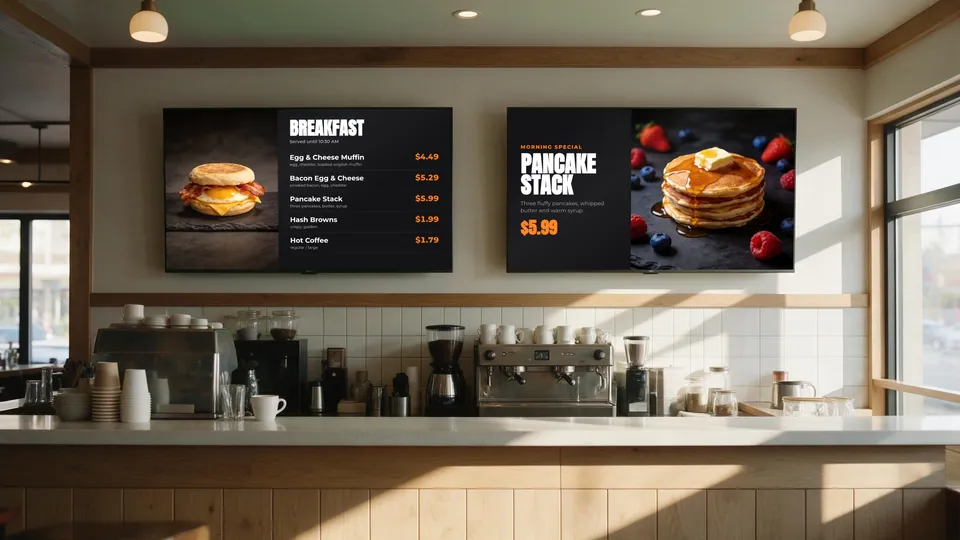
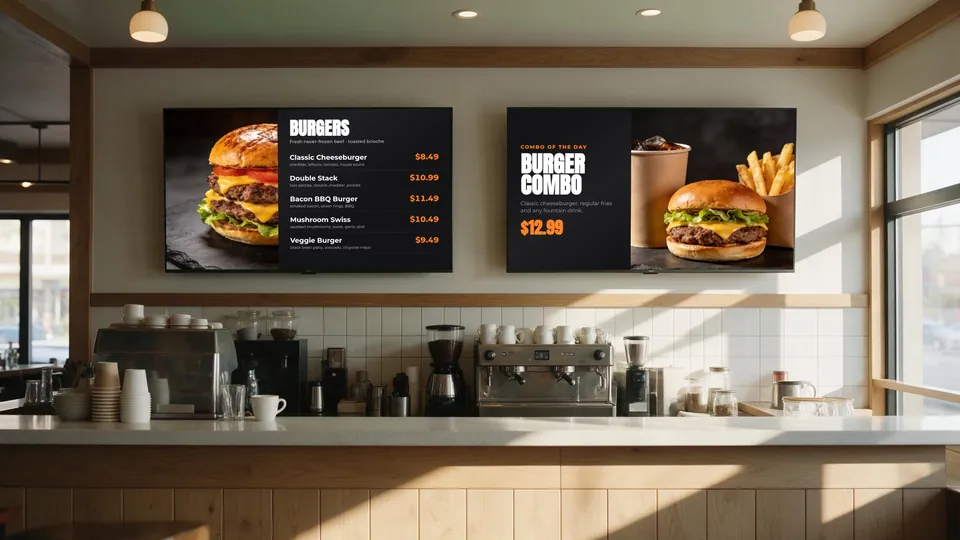
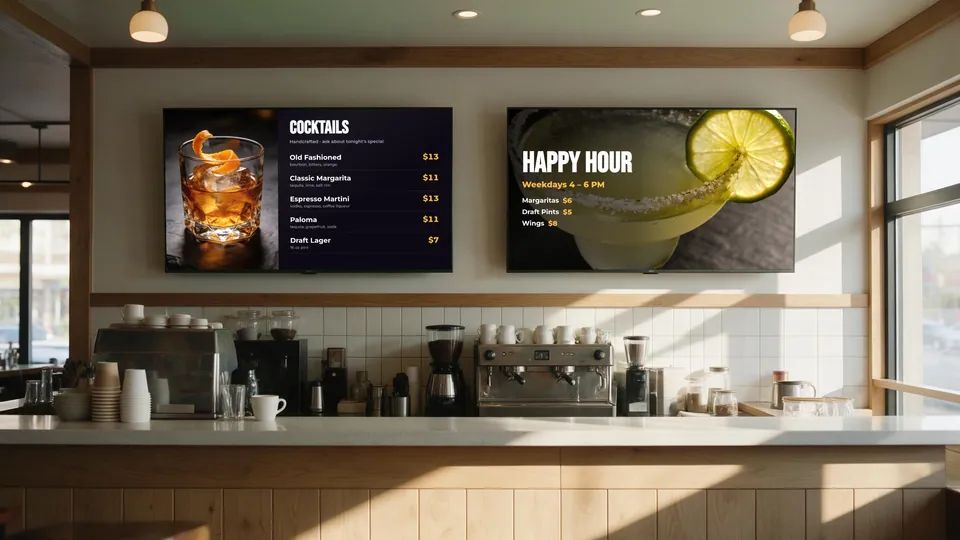
Breakfast menu on the boards in the morning
Morning — breakfast
The same boards showing the lunch menu at midday
Midday — lunch
The same boards showing cocktails and happy hour in the evening
Evening — happy hour

Same two screens, three dayparts — switched automatically on schedule. (Illustrative scene with sample menus.)

Benefits of Automated Scheduling

1. Consistency

When transitions are automated, they happen at exactly the same time every day. No more variations based on which manager is working or whether someone remembered.

2. Customer Relevance

Showing dinner items at 8 AM confuses customers and slows ordering. Showing only breakfast items during breakfast makes the decision process faster and cleaner.

3. Staff Focus

When staff don't have to think about menu boards, they can focus on customers. It's one less thing to manage during busy transitions.

4. Promotional Timing

Automated scheduling isn't just for dayparts—it's for promotions too. Happy hour pricing can activate at 4 PM sharp. Weekend brunch can appear only on Saturday and Sunday.

Setting Up Your Schedule

Step 1: Define Your Dayparts

Start by documenting when each menu period begins and ends. Be specific about transition times:

  • Breakfast: 5:30 AM - 10:30 AM (Mon-Fri), 5:30 AM - 11:00 AM (Sat-Sun)
  • Lunch: 10:30 AM - 4:00 PM (Mon-Fri), 11:00 AM - 4:00 PM (Sat-Sun)
  • Dinner: 4:00 PM - 10:00 PM (all days)
  • Late Night: 10:00 PM - Close (Fri-Sat only)

Step 2: Create Menu Layouts for Each Daypart

Design separate menu boards for each period. Consider:

  • What items are available during this time?
  • What should be featured prominently?
  • Are there time-specific promotions?
  • Should pricing differ (like happy hour)?

Step 3: Configure the Schedule

In your digital signage system, assign each menu layout to its time slots. With KwickSIGN, this is done in the KwickPOS backoffice. You set start time, end time, and which days the schedule applies — see daypart scheduling in KwickSIGN. Because the boards run from your KwickPOS on the local network, scheduled changes still happen if the internet drops.

Step 4: Plan for Transitions

Consider what happens at changeover:

  • Should the switch be instant or fade?
  • Do you want a brief "Lunch starts in 5 minutes" message?
  • How do you handle orders placed just before the switch?

Advanced Scheduling Strategies

Weekend vs. Weekday

Many restaurants have different hours or menus on weekends. Configure separate schedules for Saturday/Sunday with later breakfast cutoffs or brunch-specific content.

Seasonal Adjustments

Summer hours might differ from winter hours. Create seasonal schedule profiles that can be swapped as needed.

Holiday Overrides

Plan ahead for holidays. Schedule Thanksgiving dinner menus, Christmas Eve specials, and New Year's pricing weeks in advance so they activate automatically.

Event-Based Content

For game days or local events, create special schedules that activate only on specific dates. Superbowl Sunday menu? Schedule it once, it appears automatically.

Best Practices

  1. Build in buffer time: If breakfast ends at 10:30, consider transitioning to "All Day" menu 15 minutes early so customers finishing breakfast aren't confused.
  2. Keep lunch available during dinner: Some customers want lunch items at dinner time. Consider keeping popular lunch items on the dinner menu.
  3. Test your schedule: Before going live, verify transitions happen correctly at each changeover time.
  4. Have override procedures: Staff should know how to manually override the schedule if situations require it.
  5. Review periodically: Customer traffic patterns change. Review your daypart times quarterly against your sales-by-hour report to ensure they still make sense.

Daypart FAQ

What is a daypart?
A daypart is a segment of the business day — such as breakfast, lunch, dinner or late night — that gets its own menu, pricing or promotions. Dayparting means planning what you sell and show for each segment.
What are typical restaurant daypart times?
Common starting points are breakfast from opening to about 10:30 AM, lunch from about 10:30 or 11 AM to 2–3 PM, an afternoon period until about 5 PM, dinner from about 5 PM to 9–10 PM, and late night until close. Set your own times from your sales by hour.
How many dayparts should a restaurant have?
Most restaurants use three to five. More dayparts only help if each one has a genuinely different menu, price or promotion.
How do digital menu boards switch dayparts automatically?
You assign a menu layout to each time slot and day of the week. With KwickSIGN the schedule lives in KwickPOS, so boards change on time and items and prices stay in sync with your registers.
Can different screens follow different schedules?
Yes. Each screen or group of screens can have its own schedule — for example a breakfast wall that switches to lunch while a promo screen keeps running a weekend special.

Build your setup & get a quote

Automate your menu schedules

KwickSIGN makes daypart scheduling simple — set it once in KwickPOS and let your menus manage themselves.